
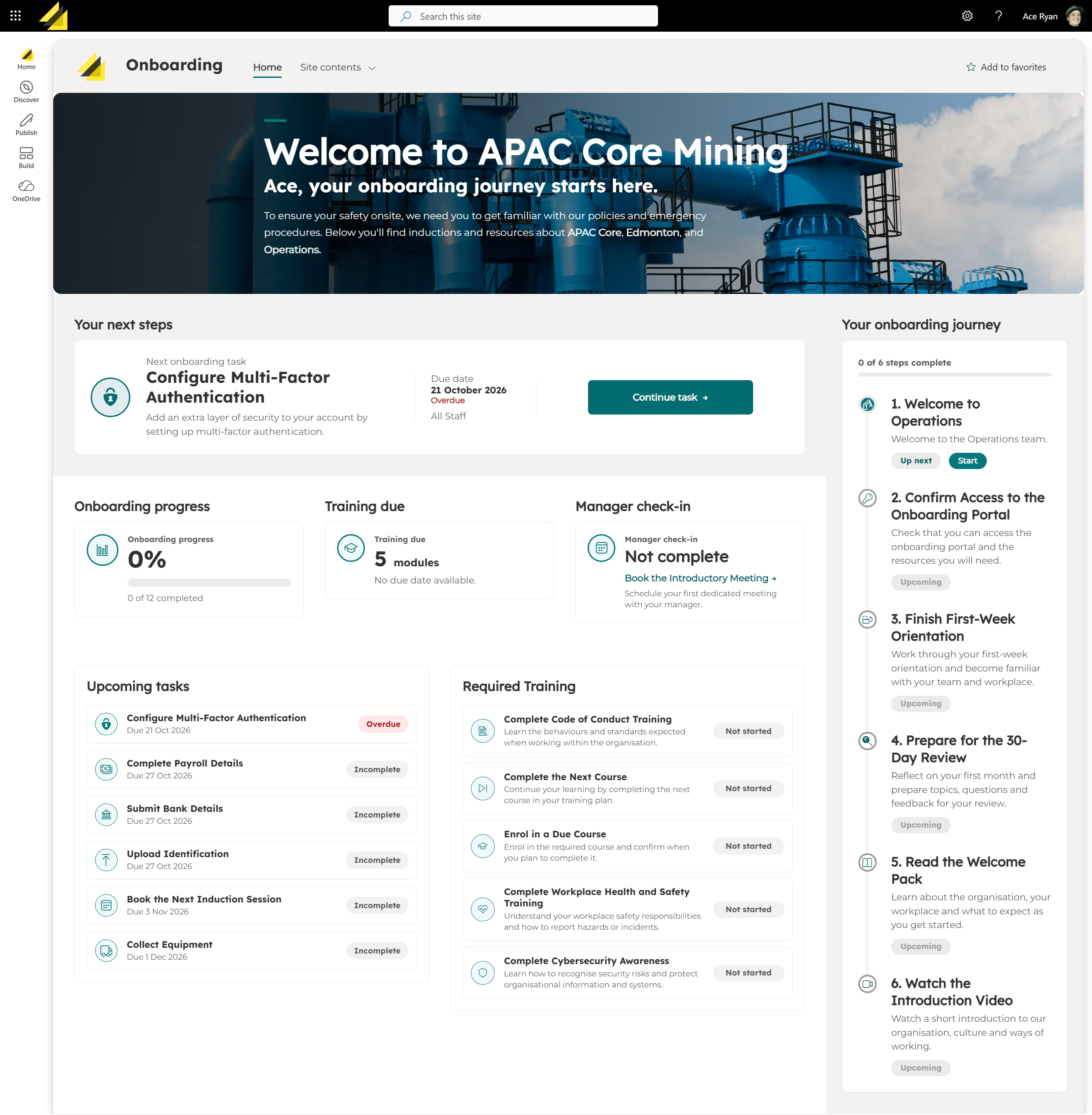
Employee Onboarding Hub

Turn onboarding into a guided journey, not a collection of links and documents. Deliver the right SharePoint content, training and activities to each employee based on their role or department, schedule requirements around their hire date, and clearly show what needs to happen next. From day one through to ongoing compliance, keep every employee moving in the right direction.

Create a Personalised Onboarding Experience

Give every new starter a clear path through what they need to read, learn and complete.

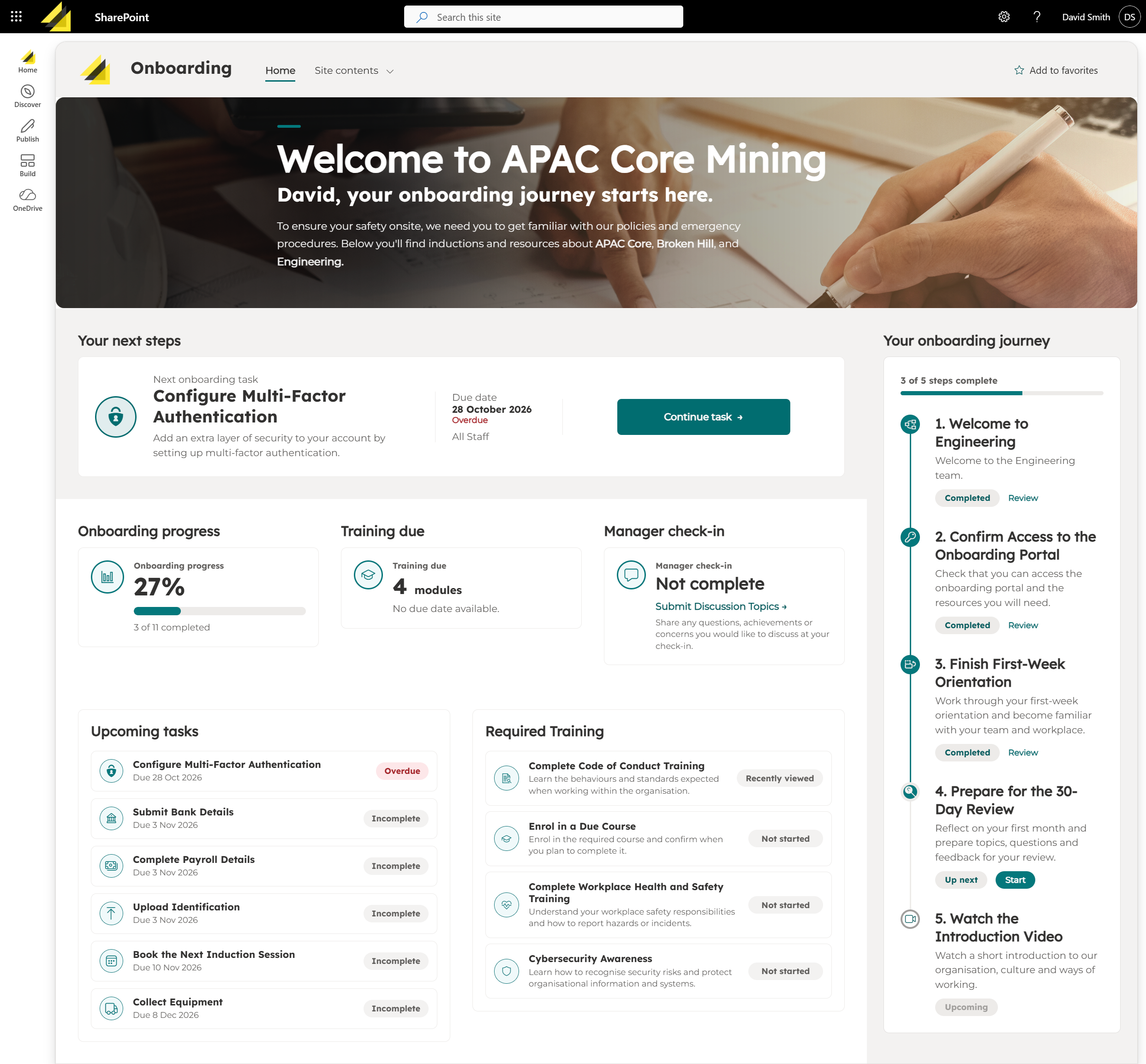
Onboarding Hub transforms content stored in SharePoint into a personalised journey, automatically showing each employee what’s next, what’s due and how they’re progressing .

  • One guided journey for content, training and activities
  • Personalised experiences based on role, department or employee group
  • Clear progress showing what’s next, completed and overdue
  • SharePoint at the centre, keeping content in one managed location

Instead of searching through emails, documents and links, employees have one place to understand what they need to do next.
Deliver the Right Content to Every Employee

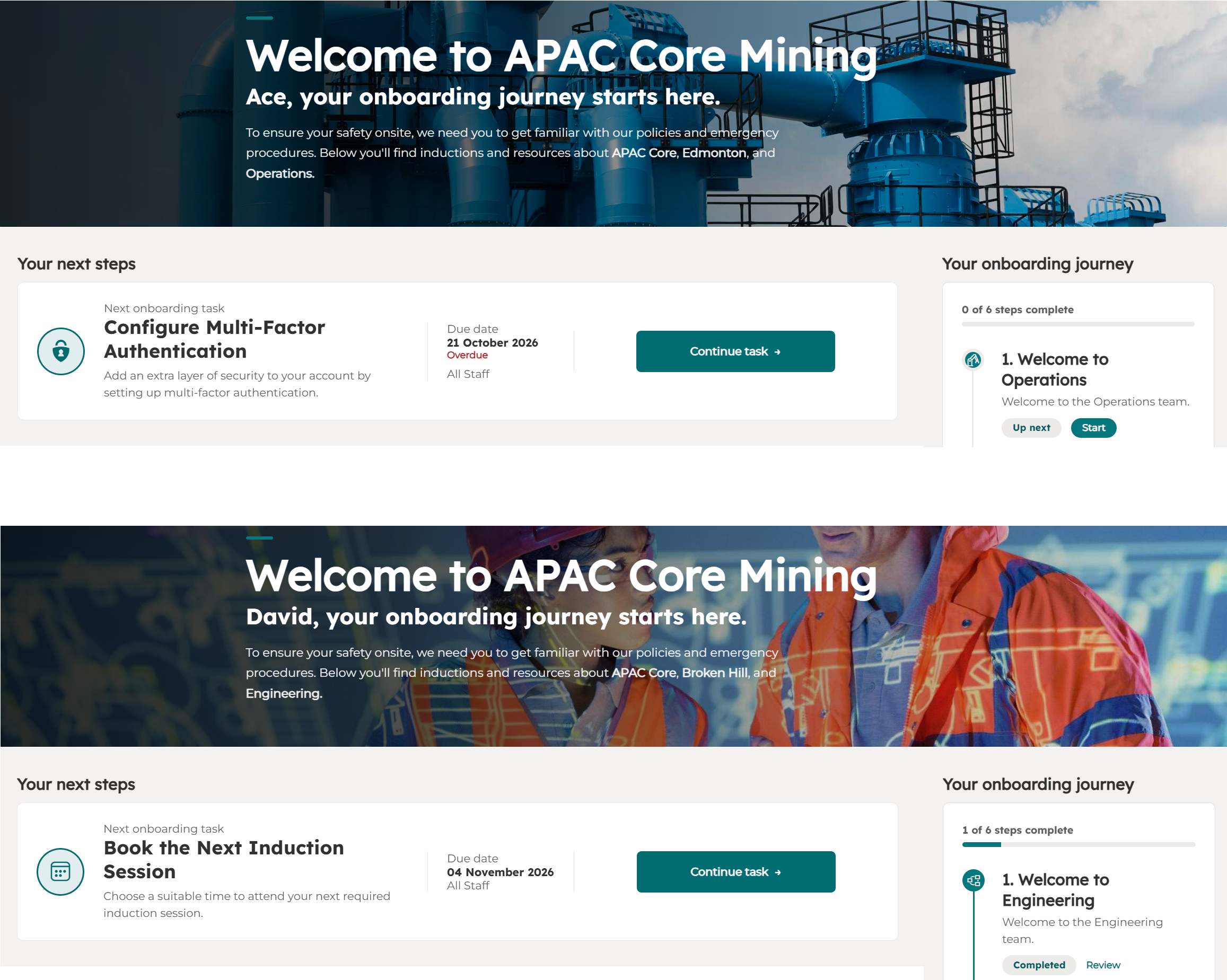
Make onboarding relevant from the start by delivering the right SharePoint content to each employee.

Personalise the experience using attributes such as:

  • Role or position
  • Department or team
  • Location
  • Employee group

Content remains stored and managed in SharePoint, providing one source of truth while each employee sees only what’s relevant to them.
Build a Time-Based Onboarding Journey

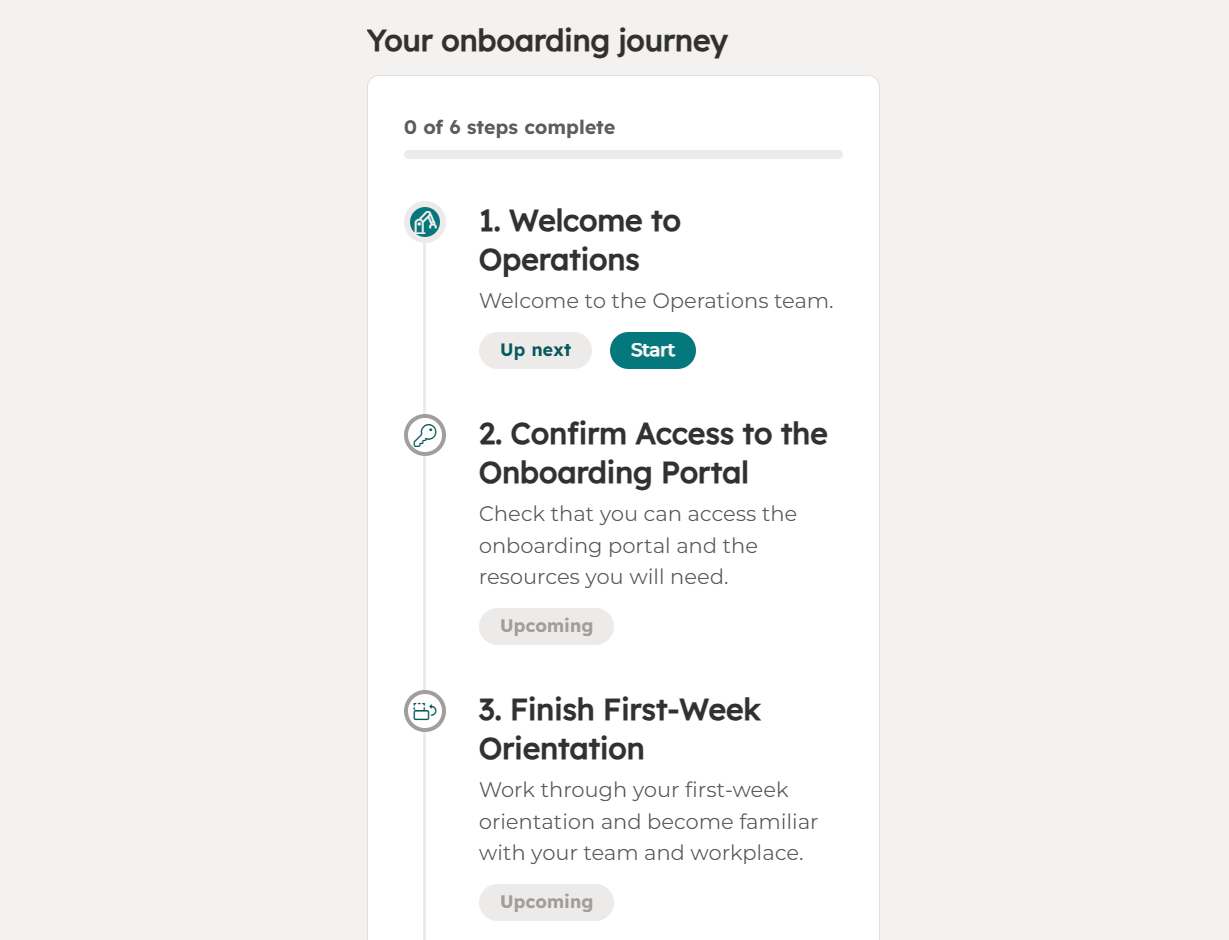
Turn onboarding into a journey that unfolds automatically around each employee’s hire date.

Schedule content, training and activities for key stages:

  • Day one for welcome information and essential tasks
  • First week for policies, procedures and required learning
  • 30, 60 or 90 days for training and manager check-ins
  • Later milestones for follow-ups and ongoing requirements

Employees can clearly see what’s complete, what’s next and what’s still ahead.
Bring Content, Training and Activities Together

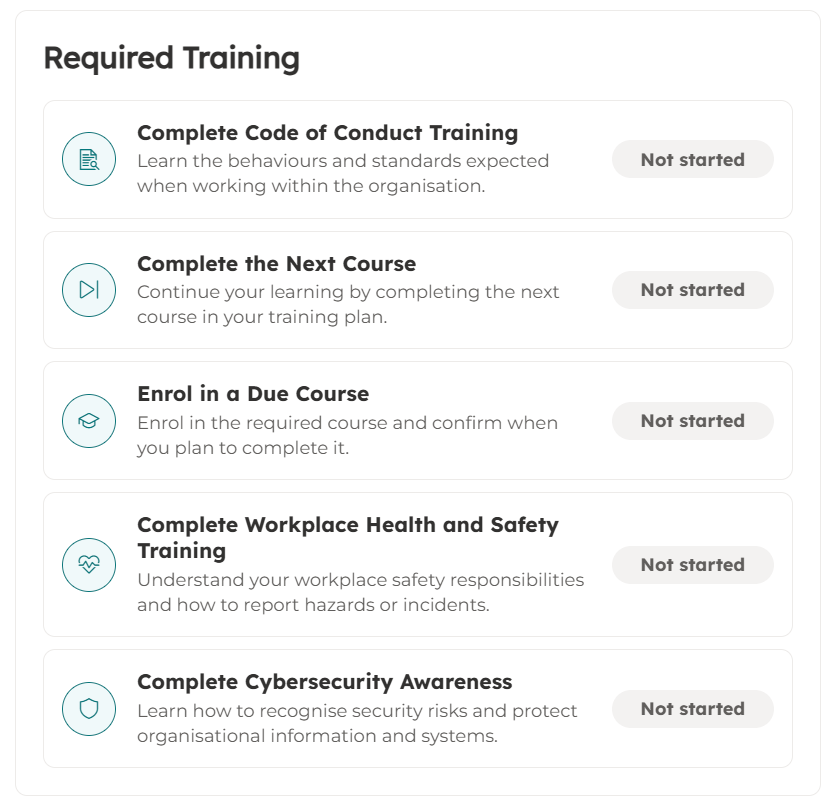
Give employees one consistent experience for the information, learning and activities they need to complete.

Bring together:

  • SharePoint content including pages, policies and documents
  • Training and videos for required learning
  • Quizzes and confirmations to check understanding
  • Employee activities such as tasks and manager check-ins

Everything stays connected to the employee’s onboarding journey, making it easier to see what needs to be completed and what comes next.
Keep Onboarding on Track

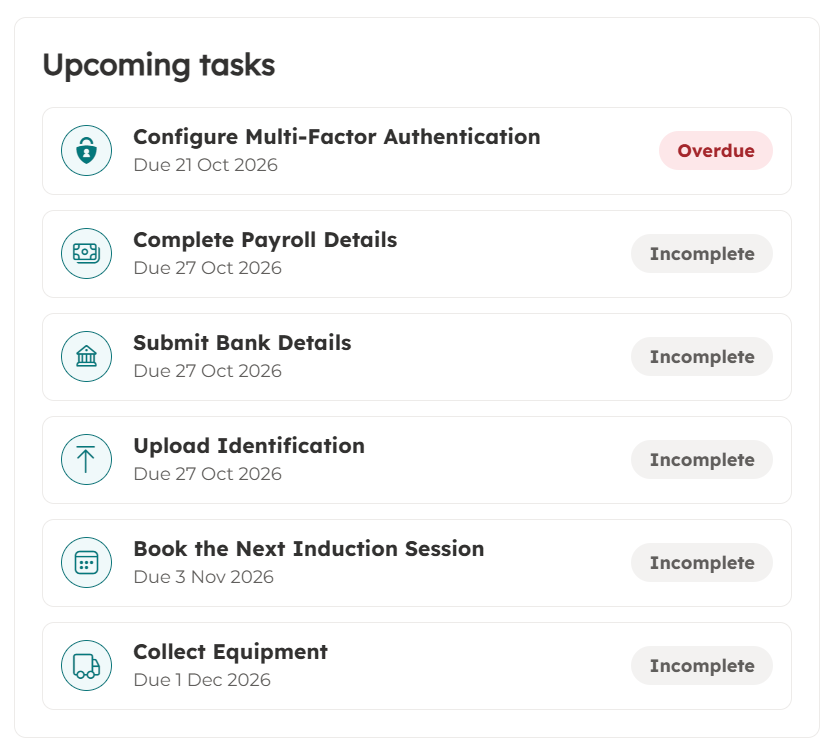
Give employees a clear view of what’s coming up, what’s outstanding and what needs attention.

Keep requirements moving with:

  • Due dates for onboarding tasks and activities
  • Clear status showing incomplete and overdue requirements
  • Reminders when important actions are outstanding
  • Progress tracking across content, training and activities

Managers, HR and compliance teams gain visibility into completion, while employees always know what they need to do next.
From Onboarding to Ongoing Compliance

Keep the employee journey going beyond the first 90 days with recurring compliance and training requirements.

Use the same familiar experience for:

  • Annual acknowledgements and policy reviews
  • Refresher training and recurring learning
  • Declarations and confirmations scheduled at regular intervals
  • Certification and compliance checks throughout employment

Employees continue using one familiar experience, while requirements can be scheduled and tracked throughout the employee lifecycle.

Make Compliance Tracker 365 work for you

Have questions? Contact us